
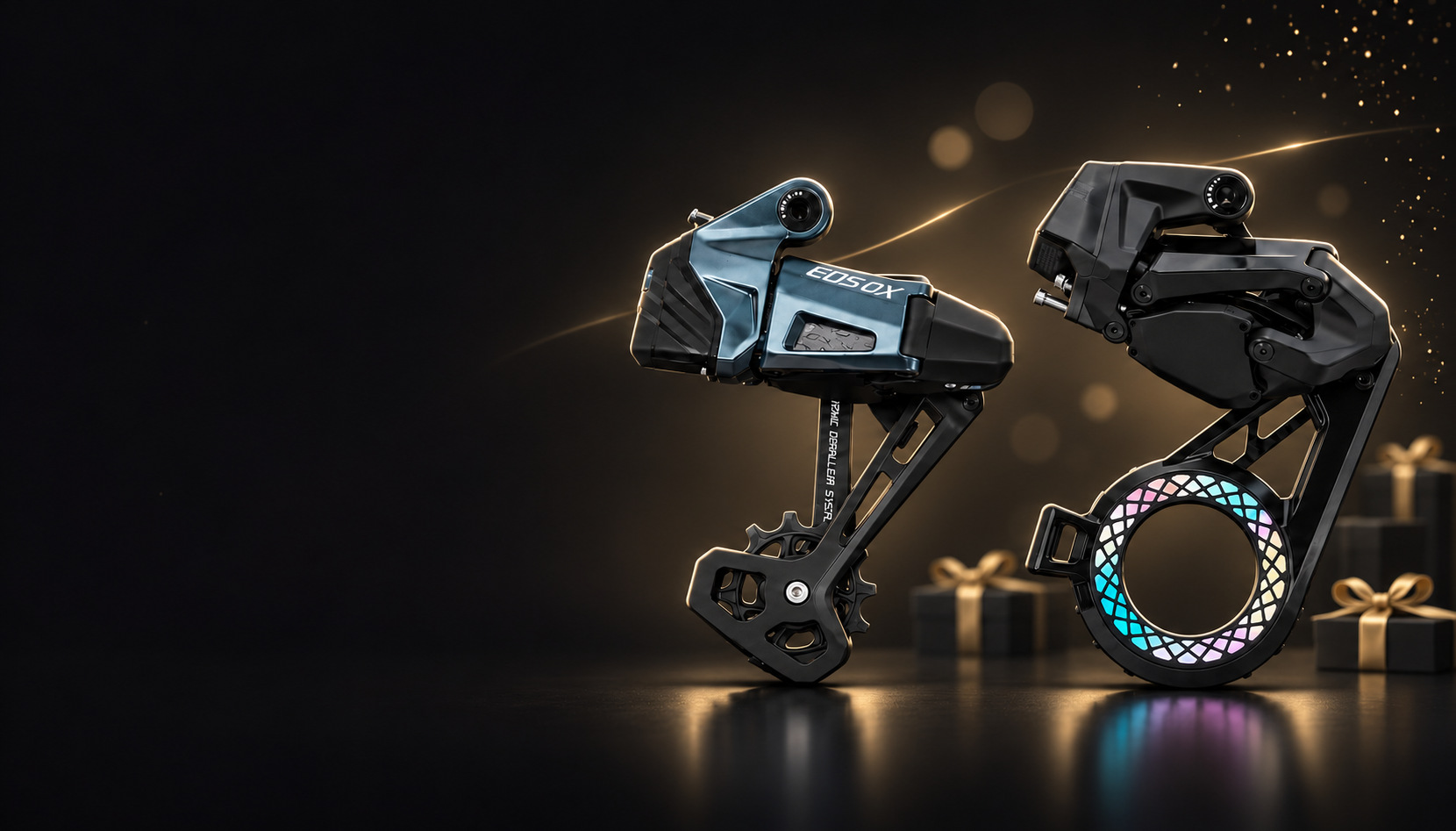
WHEELTOP App Setup Guide (2026): Pair, Calibrate and Fine-Tune EDS
Complete walkthrough for WHEELTOP app v2 (orange interface): waking parts, Bluetooth pairing, setting cassette speed, initial calibration, per-gear fine-tuning, and firmware updates.
Setting up WHEELTOP EDS in software takes about ten minutes if you follow the right sequence: wake each derailleur with its magnetic charging cable, connect in the WHEELTOP v2 app (the current orange interface), set your cassette speed count, run initial calibration, fine-tune any noisy cogs, and finish with a firmware check. The same workflow applies across EDS TX, GeX, and OX 2.0.
Before You Open the App
Have four things ready next to the bike so you do not have to stop mid-calibration:
- Your WHEELTOP EDS derailleur(s) and shifters mounted on the bike (if you are setting up a 2x road build, follow the TX installation guide first).
- The magnetic charging cable included in the box.
- A smartphone with Bluetooth turned on.
- A workstand (or a helper holding the rear wheel off the ground) so you can pedal smoothly while calibrating.
One quirk catches almost every first-time installer: WHEELTOP derailleurs ship completely powered down to preserve battery charge. Touch the magnetic charging cable to the derailleur contacts for a few seconds to wake it up before searching in the app.
Step 1: Install or Update to WHEELTOP App v2
Download "WHEELTOP" from the Apple App Store or Google Play, register an account with your email, and sign in. Check the color scheme right away: version 2.x uses a dark-and-orange interface. If your screen still looks blue, update the app before pairing, as older builds miss current calibration screens and firmware packages.
Step 2: Connect Your Components Over Bluetooth
Tap Start using on the home screen. The app scans for awake EDS components nearby and lists each derailleur and shifter it detects. Select your parts and tap Finish. From there, the app reconnects automatically whenever the components are awake.
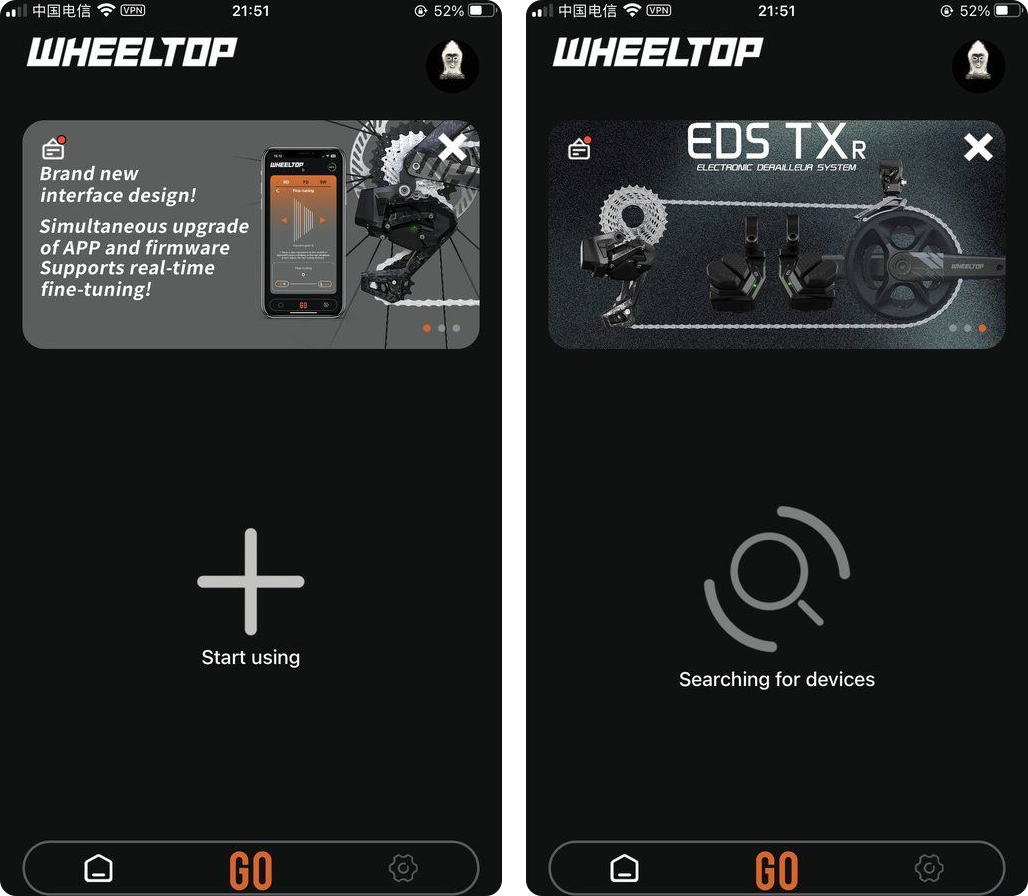
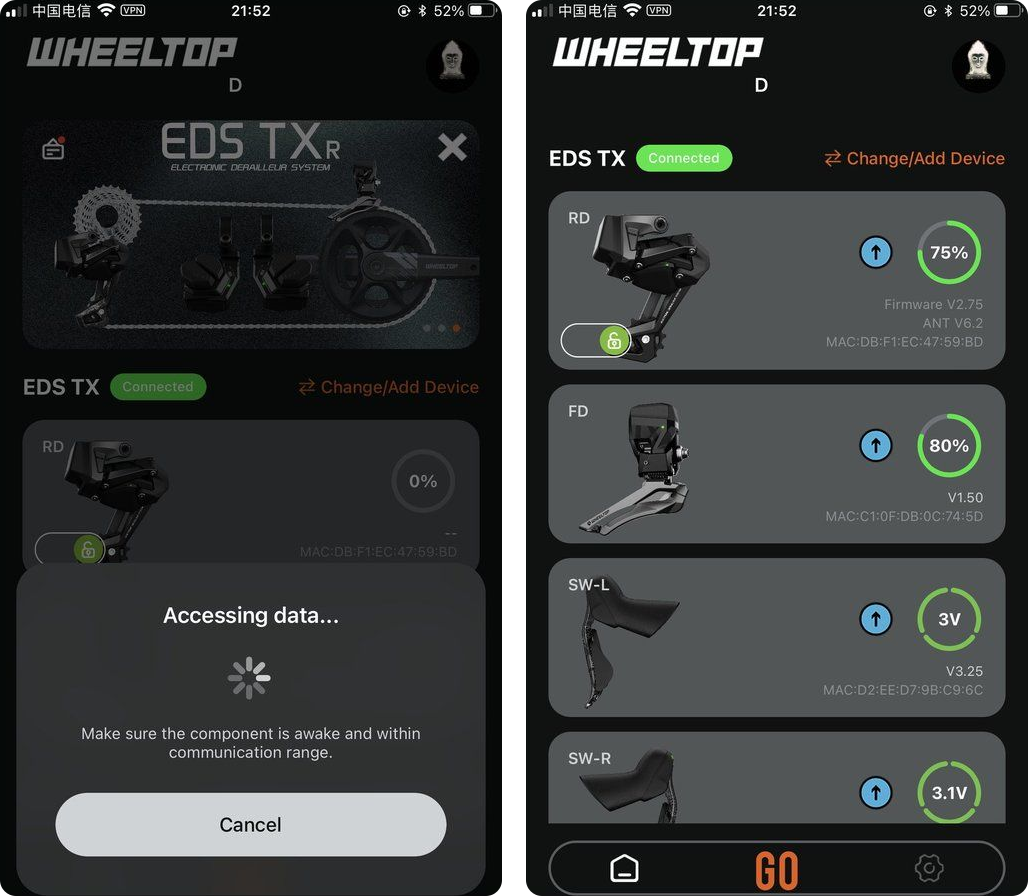
Once linked, the dashboard displays live battery percentages for each connected unit. Make a habit of glancing at it before long weekend rides.
Video: Pair a Replacement EDS OX Shifter (No Battery Removal)
Swapping in a replacement flat-bar shifter does not require prying out the coin-cell battery. Swipe left on the old shifter inside the app, tap Replace, and scan the QR code tag on the new shifter to bind it straight to your rear derailleur. Need a spare? See the standalone WHEELTOP EDS OX 2.0 wireless shifter or browse WHEELTOP replacement parts.
Step 3: Set Your Cassette Speed Count
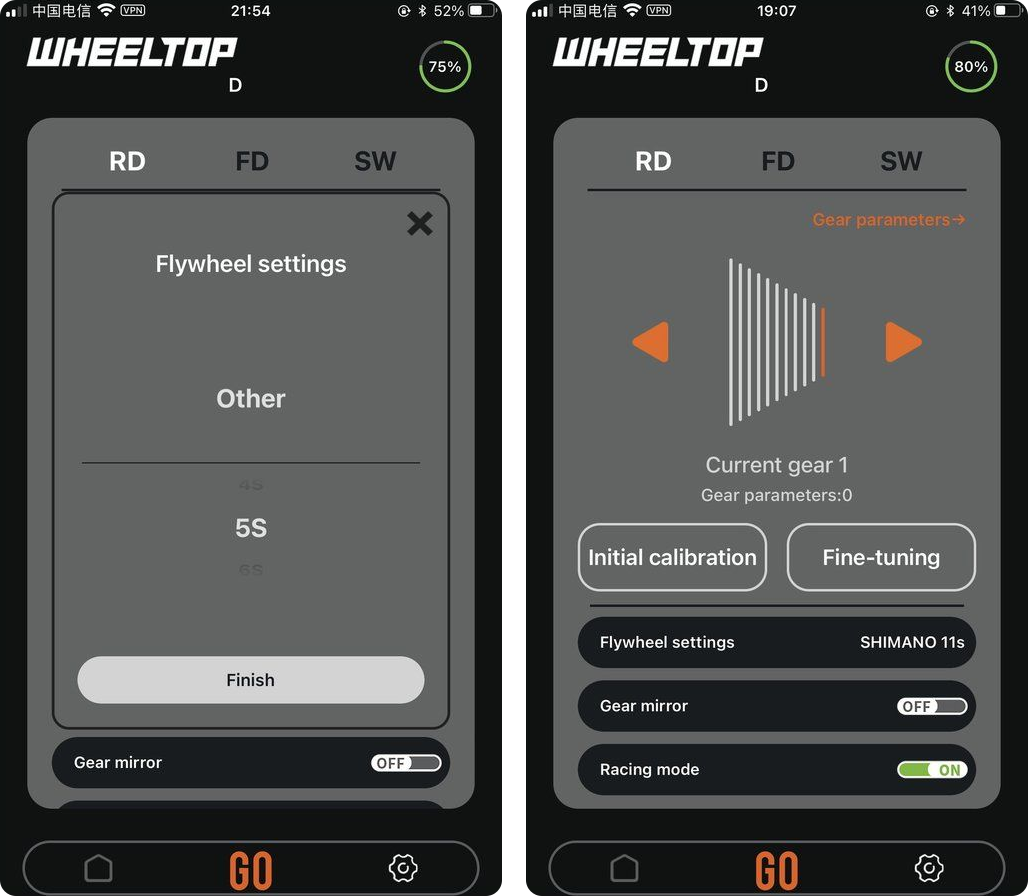
Open RD → Flywheel settings and choose the exact number of cogs on your cassette. Because WHEELTOP calculates shift spacing in software, a single derailleur covers multiple drivetrains: TX indexes 7–14 speed, while OX 2.0 and GeX index 3–14 speed. Confirm your cassette and cage limits in our WHEELTOP compatibility chart if you are mixing non-standard cassettes.
Step 4: Run Initial Calibration
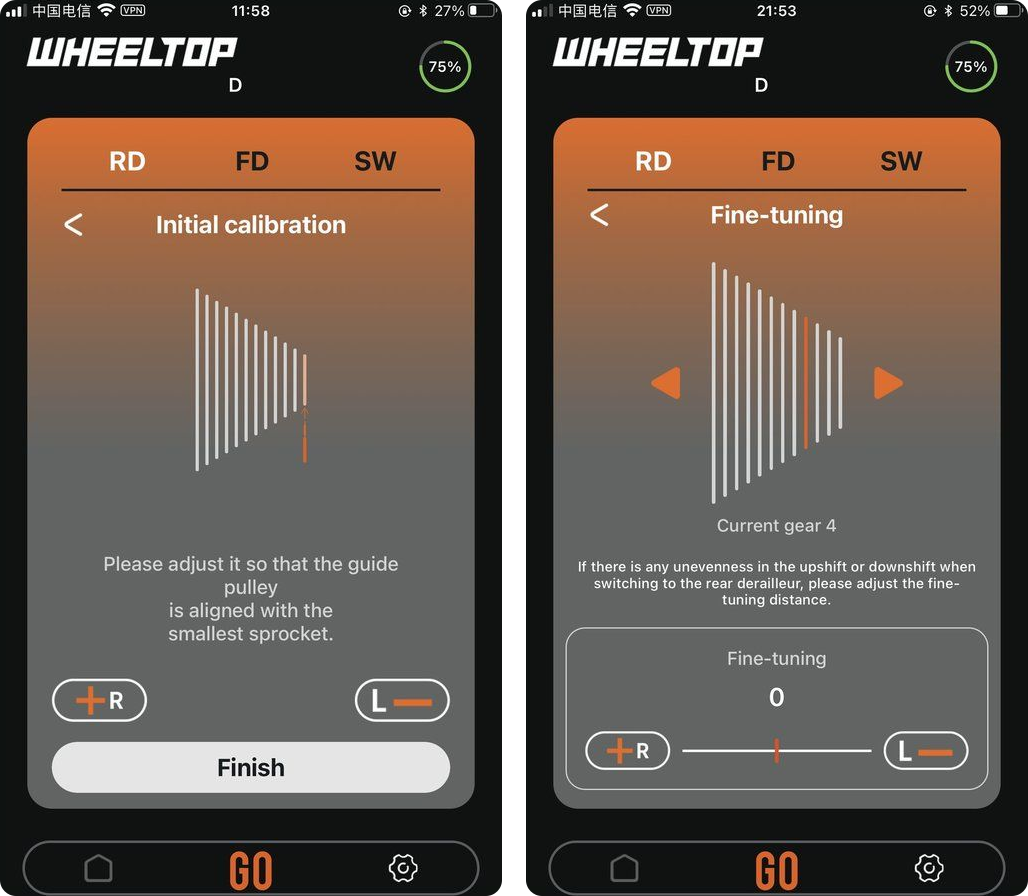
In the RD tab, tap Initial calibration and turn the cranks steadily as you follow the prompts. This aligns the upper guide pulley directly under your smallest sprocket and establishes the baseline for every other gear. On 2x TX builds, switch to the FD tab and calibrate the front derailleur after the rear is dialed in.
Step 5: Fine-Tune Individual Gears
Shift across the full cassette while pedaling at normal cadence. If one specific cog ticks or hesitates on an upshift, open Fine-tuning and nudge that single gear left or right in real time until it runs silent. Adjust one cog at a time and test both upshifts and downshifts before moving on.
Step 6: Pick Your Shift Mode and Check Firmware
Choose Standard mode for everyday battery life (sleeps when idle) or Race mode for instant wake response. Finally, check the firmware page and install any available updates while keeping your phone next to the bike, and do not lock your screen or close the app mid-update.
FAQ
Why won't the app find my derailleur?
Nine times out of ten, the derailleur is still in shipping sleep mode. Clip the magnetic charging cable on for a few seconds to wake it, make sure Bluetooth is active on your phone, and tap Start using again.
My app looks blue instead of orange. Does it matter?
Yes. The blue layout is the older v1 app. Update to version 2.x from the App Store or Google Play so your menus match this guide and you receive current firmware.
How do I check battery level?
Open the WHEELTOP app while your components are awake: the home screen displays live percentage readings for each paired part.
Explore WHEELTOP EDS
Compare full groupsets across WHEELTOP EDS TX, WHEELTOP EDS GeX, and WHEELTOP EDS OX 2.0, all backed by our 1-year warranty on electronic shifting components.


